Words Per Page
Estimate how many pages your text fills for single and double spacing, along with words and characters, as you type. No signup, any device.
Result
Estimates: ~500 words per single-spaced page, ~275 per double-spaced page. Actual count depends on font, size, margins and spacing.
Share on Social Media:
This words per page tool estimates how many pages your text fills, for both single and double spacing, as you type, along with word and character counts, directly in your browser. Paste or write your text and the estimates update live. No account, no install, so you can check page length on any device in seconds.
How to Estimate Pages Step by Step
- Paste or type your text. Drop your text into the input box, or type directly. The word count and page estimates begin updating from the first word.
- Read the word count. The Words card shows how many words your text contains, the basis for the page estimates.
- Check single and double spacing pages. Two page estimates show roughly how many pages your text fills single-spaced and double-spaced, since spacing changes the number.
- Check the character count. A character count sits alongside, useful when your requirement is set in characters rather than words or pages.
- Write towards your page target. Keep the tool open while writing to watch the page estimate grow towards your required length, with no button to press.
What Words Per Page Estimates and How
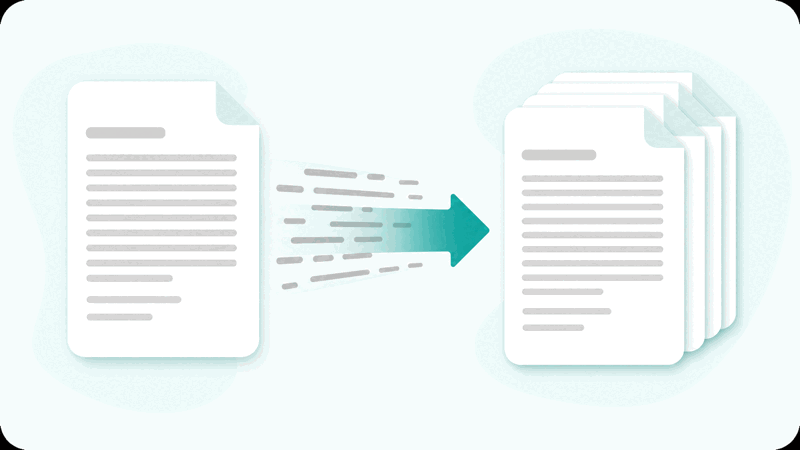
A words per page tool estimates how many pages a piece of text fills based on its word count. It divides your words by a typical number of words per page, giving a rough page count. Because spacing changes how many words fit on a page, it shows estimates for both single and double spacing.
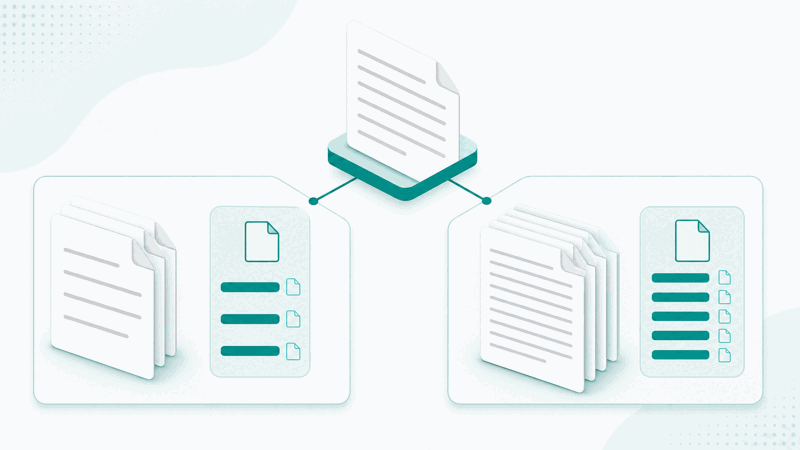
The word count is exact, but the page figures are estimates. A single-spaced page holds roughly twice as many words as a double-spaced page, so the tool uses typical words-per-page figures for each. The result is a sensible guide to how many pages your text will fill.
Actual pages depend on font, size, margins, spacing and paragraph breaks, so the estimate is a guide rather than a guarantee. For an exact page count you would lay the text out in a word processor with the required formatting; this tool gives a quick estimate without that step.
Everything runs in your browser, so your text is never uploaded and the figures appear instantly and privately. The tool works the same on a phone, tablet or computer, with no account and no limit, so students and writers can estimate page length wherever they work.
Words Versus Pages and Spacing
| Spacing | Words per page (typical) | Nature |
|---|---|---|
| Single-spaced | Around 500 words | Estimate |
| Double-spaced | Around 275 words | Estimate |
| Words | Runs of non-space characters | Exact count |
| Characters | Total length of the text | Exact count |
Who Uses a Words Per Page Tool
Pro Tips for Estimating Pages
Common Words Per Page Mistakes to Avoid
Related Tools You May Need Next
For length planning, our Word Counter gives full statistics, the Essay Word Counter counts essay words and pages, and the Character Counter counts characters.
Frequently Asked Questions
How many words are on a page?
It depends on spacing and formatting, but a typical double-spaced page holds around 275 words and a single-spaced page around 500. This tool uses those typical figures to estimate how many pages your text fills, showing both single and double spacing. Because font, size and margins also matter, the estimate is a guide, with the exact count depending on how the text is finally laid out.
How does the words per page tool work?
It counts the words in your text, then divides by a typical number of words per page to estimate how many pages the text fills. Since single spacing fits roughly twice as many words per page as double spacing, it shows an estimate for each. The word count is exact; the page figures are sensible estimates that update live as you type, giving a quick sense of length.
Why does spacing change the page count?
Double spacing puts a blank line between each line of text, so fewer words fit on a page than with single spacing. As a result, the same word count fills roughly twice as many pages double-spaced as single-spaced. That is why the tool shows two estimates, so you can read the one matching the spacing your requirement uses.
Are the page estimates exact?
No, the page estimates are guides. The word and character counts are exact, but pages depend on font, size, margins, spacing and paragraph breaks, which vary. The tool uses typical words-per-page figures to give a sensible estimate, but for an exact page count you would lay the text out in a word processor with the required formatting and check there.
Is my text uploaded anywhere?
No. The counting and estimating happen entirely in your browser, so your text is never sent to a server. This makes the tool fast and private: the estimates appear the instant you type, and nothing you write leaves your device. You can paste unpublished text and estimate its pages knowing it stays on your own device.
Can I use it on my phone?
Yes. The tool runs in your browser and works the same on a phone, tablet or computer, with no app to install. Paste or type your text and the word count and page estimates appear instantly. Because everything runs on your device, it is just as fast and private on mobile as on a desktop, so you can estimate pages anywhere.
Is there a limit on how much text I can check?
No. You can paste or type as much text as you like and the tool estimates the pages for all of it, updating live. There is no account, no signup and no usage limit. Whether you are checking a short piece or a long document, the page estimates appear instantly for both single and double spacing, as often as you need, at no cost.
Is the words per page tool free?
Yes, it is completely free with no account and no limit. You can estimate pages as often as you like, on any device, at no cost. The tool runs in your browser, so there is nothing to download or install, and the word count, page estimates and character count appear instantly as you type. Use it whenever you need a quick idea of how many pages your text fills.