Shortest Sentence Finder
See the shortest and longest sentences in your text, with sentence count and average length instantly as you type. No signup, works on any device.
Result
Shortest sentence
Longest sentence
Share on Social Media:
This shortest sentence finder shows the shortest and longest sentences in your text, with sentence count and average length as you type, directly in your browser. Paste or write your text and the figures update live. No account, no install, so you can analyse text on any device in seconds.
How to Use the Shortest Sentence Finder Step by Step
- Paste or type your text. Drop your text into the input box, or type directly. The figures begin updating from the first character.
- Read the results. The results show the shortest and longest sentences in your text, with sentence count and average length, updating live as you type or edit.
- Explore the details. Look through the cards and any table to see the full breakdown for your text.
- Edit and watch it update. Change your text and the figures update instantly, so they always match what you have written.
- Use the results. Read the figures directly for your task, with no button to press.
What the Shortest Sentence Finder Measures and How
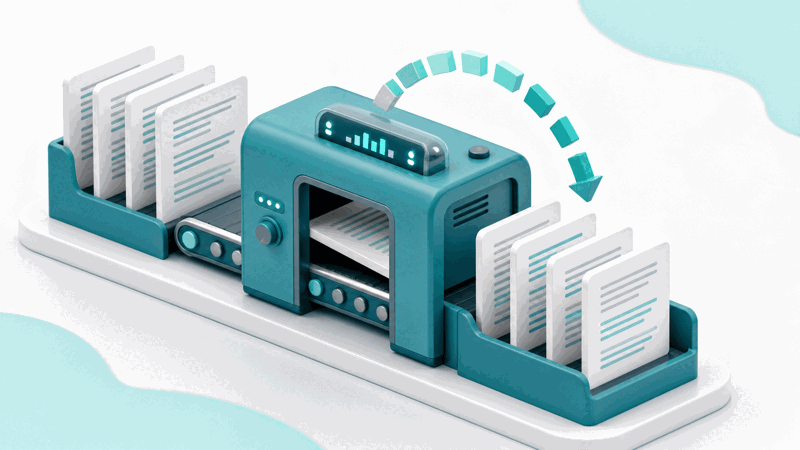
The Shortest Sentence Finder shows the shortest and longest sentences in your text, with sentence count and average length. It analyses your text as you type and presents the results live, so the figures are always current. It splits your text into sentences, measures each by word count, and shows the shortest and longest sentences along with the total number of sentences and the average length, so you can see the range at a glance.
Finding the shortest and longest sentences helps you judge sentence variety and readability. Very long sentences can be hard to follow, and a good mix of lengths reads better, so seeing the extremes and the average guides your editing.
Everything is worked out in your browser as you type.
Because it runs on your device, your text is never uploaded. The results appear instantly and privately, with nothing leaving your device. The tool works the same on a phone, tablet or computer, with no account and no limit on how much text you can analyse.
What the Figures Mean
| Measure | What it shows | Note |
|---|---|---|
| Shortest / longest | The extreme sentences | Sentence length range |
| Sentences | Total sentence count | Overall structure |
| Average length | Average words per sentence | Typical sentence length |
| The sentences | The actual text shown | See the extremes |
Who Uses This Tool
Pro Tips for Using the Shortest Sentence Finder
Common Mistakes to Avoid
Related Tools You May Need Next
our Sentence Counter, Word Counter and Text Readability Score Calculator analyse sentences and readability.

Frequently Asked Questions
How do I use the shortest sentence finder?
Paste or type your text into the input box and the results appear instantly, showing the shortest and longest sentences in your text, with sentence count and average length, updating live as you edit. There is no button to press: the figures refresh the moment you type. Read them directly for your task, and change your text to see how the figures respond. No account is required and there is no limit on how much text you can analyse.
What does the shortest sentence finder measure?
It shows the shortest and longest sentences in your text, with sentence count and average length. It splits your text into sentences, measures each by word count, and shows the shortest and longest sentences along with the total number of sentences and the average length, so you can see the range at a glance. The figures are worked out from your text as you type and presented together, so you get a clear picture of your text at a glance, updating live whenever you add, remove or change anything.
What do the figures mean?
Finding the shortest and longest sentences helps you judge sentence variety and readability. Very long sentences can be hard to follow, and a good mix of lengths reads better, so seeing the extremes and the average guides your editing. Each figure is worked out a specific way, so reading them together gives a fuller picture than any single number. The tool lays out the results clearly so you can see what your text contains and use the figures for whatever you are working on.
Does it change my text?
No. The tool measures and reports figures about your text; it does not edit or alter it. Your text stays exactly as you typed it, and the figures simply describe it. If you want to change the text, you edit it yourself and watch the figures update to match your changes.
Is my text uploaded anywhere?
No. The analysis happens entirely in your browser, so your text is never sent to a server. The figures appear the instant you type, and nothing you write leaves your device. You can analyse sensitive or unpublished text knowing it stays on your own device.
Can I use it on my phone?
Yes. The tool runs in your browser and works the same on a phone, tablet or computer, with no app to install. Paste or type your text and the figures appear instantly. Because everything runs on your device, it is just as fast and private on mobile as on desktop, so you can analyse text anywhere.
Is there a limit on how much text I can check?
No. You can paste or type as much text as you like and the tool analyses all of it, updating the figures live. There is no account, no signup and no usage limit, so you can check a short note or a long document, as often as you need, at no cost.
Is the shortest sentence finder free?
Yes, it is completely free with no account and no limit. You can analyse as much text as you like, on any device, at no cost. The tool runs in your browser, so there is nothing to install, and the figures appear instantly as you type, showing the shortest and longest sentences in your text, with sentence count and average length.