Remove Parentheses and Brackets
Remove Parentheses and Brackets that removes parentheses, brackets and braces along with the text inside them instantly as you type, ready to copy. No signup, works on any device.
Share on Social Media:
This remove parentheses and brackets removes parentheses, brackets and braces along with the text inside them as you type, directly in your browser, ready to copy. Paste or write your text on the left and see the result on the right. No account, no install, so you can convert text on any device in seconds.
- How to Use the Remove Parentheses and Brackets Step by Step
- What the Remove Parentheses and Brackets Does and How
- Converted Text Versus the Original
- Who Uses a Remove Parentheses and Brackets
- Pro Tips for Using the Remove Parentheses and Brackets
- Common Mistakes to Avoid
- Related Tools You May Need Next
- Frequently Asked Questions
How to Use the Remove Parentheses and Brackets Step by Step
- Type or paste your text. Enter your text in the input box on the left. The converted result builds as you type, with no button to press.
- See the result. The converted text appears on the right, updating live so you always see the current output.
- Check it looks right. Review the result, for example Hello (aside) world [note] becomes Hello world, and edit your input if you need to adjust it.
- Tap Copy. Tap the Copy button to copy the converted text to your clipboard, ready to use.
- Paste where you need it. Paste the converted text into your document, code, post or wherever you need it in its new form.
What the Remove Parentheses and Brackets Does and How
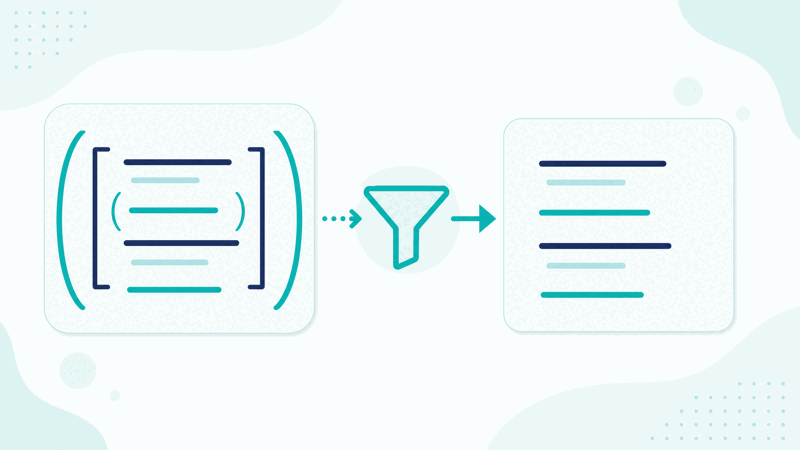
The Remove Parentheses and Brackets removes parentheses, brackets and braces along with the text inside them. You type or paste your text, and the tool produces the converted version live, so you can see and copy the result as you work. It deletes text wrapped in round brackets, square brackets and curly braces, along with the brackets themselves, and tidies the spacing left behind.
The conversion runs the moment you type, with no button to press. For example, Hello (aside) world [note] becomes Hello world. The output sits beside your input, so you can compare the two and adjust your text if needed.
Removing bracketed content is useful for stripping asides, citations, notes and annotations from text, leaving just the main content behind.
Everything runs in your browser, so your text is never uploaded and the result appears instantly and privately. The tool works the same on a phone, tablet or computer, with no account and no limit on how much text you can convert.
Converted Text Versus the Original
| Aspect | Your input | The result |
|---|---|---|
| Example | Hello (aside) world [note] | Hello world |
| Changes | The original text | The converted form |
| Speed | As you type | Instant, live |
| Use | Any text you paste | Copy and paste out |
Who Uses a Remove Parentheses and Brackets

Pro Tips for Using the Remove Parentheses and Brackets
Common Mistakes to Avoid
Related Tools You May Need Next
our Punctuation Remover, Remove Sentences and Text Cleaner tidy text in other ways.

Frequently Asked Questions
How do I use the remove parentheses and brackets?
Type or paste your text in the input box on the left and the converted result appears on the right, updating live as you type. For example, Hello (aside) world [note] becomes Hello world. When you are happy with it, tap Copy to put the result on your clipboard, then paste it wherever you need it. There is no button to press to convert and no account required.
What does the remove parentheses and brackets do?
It removes parentheses, brackets and braces along with the text inside them. You provide your text and the tool produces the converted version instantly, showing it beside your input so you can compare and copy. It deletes text wrapped in round brackets, square brackets and curly braces, along with the brackets themselves, and tidies the spacing left behind. The conversion happens live in your browser as you type, and the Copy button lets you take the result wherever you need it.
Does it change my original text?
No. The tool produces a new, converted version of your text and leaves your input exactly as you typed it. It does not edit your original document or file; you simply copy the result from the output box and paste it into place yourself, so your source text stays untouched.
Is there a limit on how much I can convert?
No. You can paste or type as much text as you like and the tool converts all of it, updating the result live. There is no account, no signup and no usage limit, so you can convert a single word or a long document, as often as you need, at no cost.
Is my text uploaded anywhere?
No. The conversion happens entirely in your browser, so your text is never sent to a server. The result appears the instant you type, and nothing you write leaves your device, so you can convert sensitive or unpublished text knowing it stays with you.
Can I use it on my phone?
Yes. The tool runs in your browser and works the same on a phone, tablet or computer, with no app to install. Type or paste your text, see the result and tap Copy. Because everything runs on your device, it is just as fast and private on mobile as on desktop.
Can I copy the result easily?
Yes. A Copy button sits next to the result, so one tap puts the whole converted text on your clipboard, ready to paste into your document, code, post or wherever you need it. You do not have to select the text by hand, which makes it quick to use as part of your workflow.
Is the remove parentheses and brackets free?
Yes, it is completely free with no account and no limit. You can convert as much text as you like, on any device, at no cost. The tool runs in your browser, so there is nothing to download or install, and the converted result appears instantly as you type, with a Copy button ready when you are.